 4:06
4:06qpAdm & f-statistics
Step-by-step guide to formal admixture testing on Genoplot: automated analysis, expert-mode qpAdm with sources and outgroups, starter models, and how to read a p-value.
Test whether your ancestry fits a model of ancient source populations with qpAdm, the AdmixTools method used in published paleogenetics. Let the AI agent pick period-appropriate sources and outgroups and rotate models for you, or set every parameter yourself.
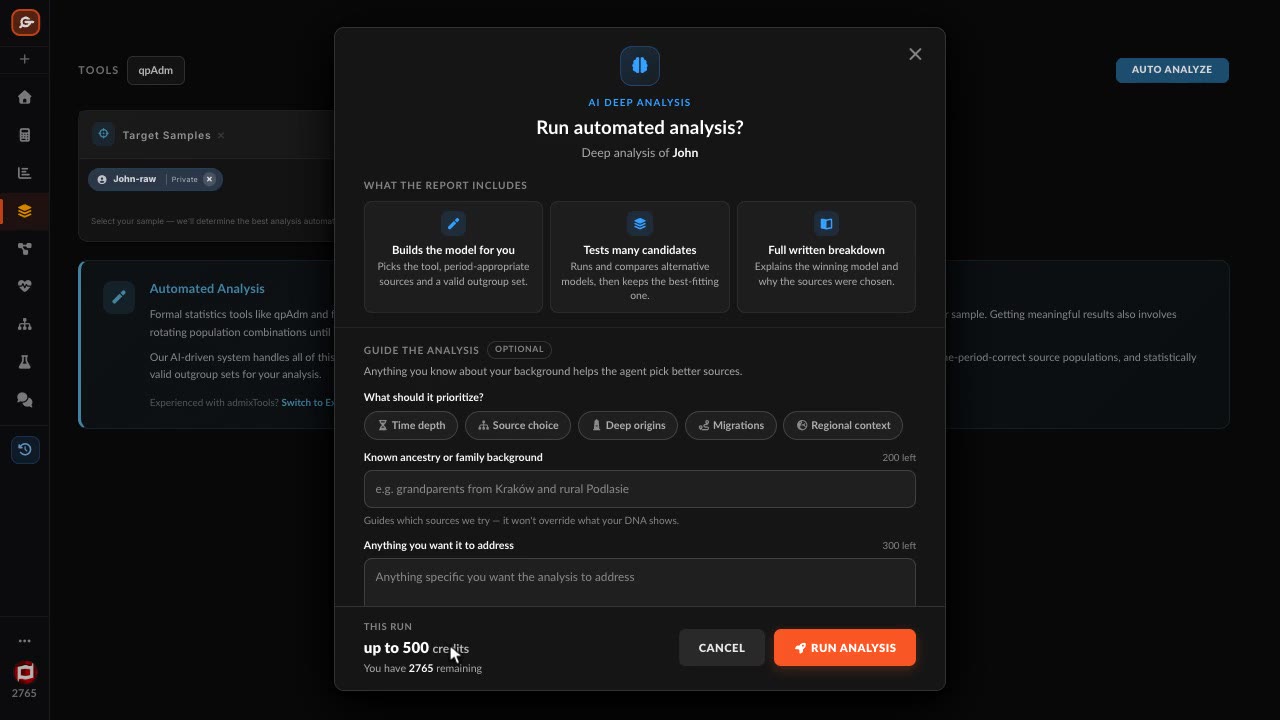
Pick your sample and press Auto Analyze: the AI agent chooses period-appropriate sources and valid outgroups, rotates models and reports the ones that fit.
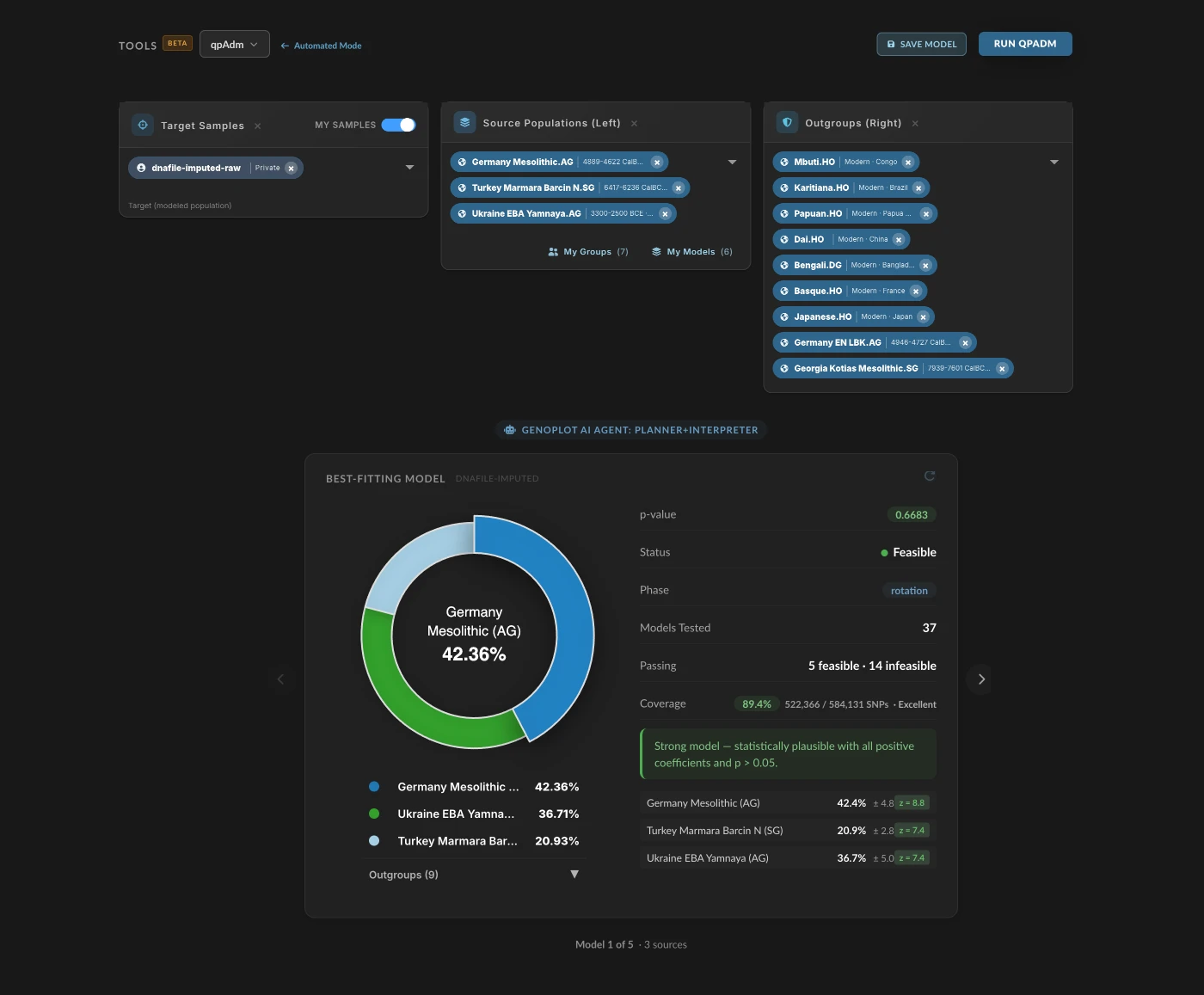
Set the target, sources and outgroups yourself, choose the SNP panel, and tune allsnps, rotation priority, f4mode, inbreed and more.
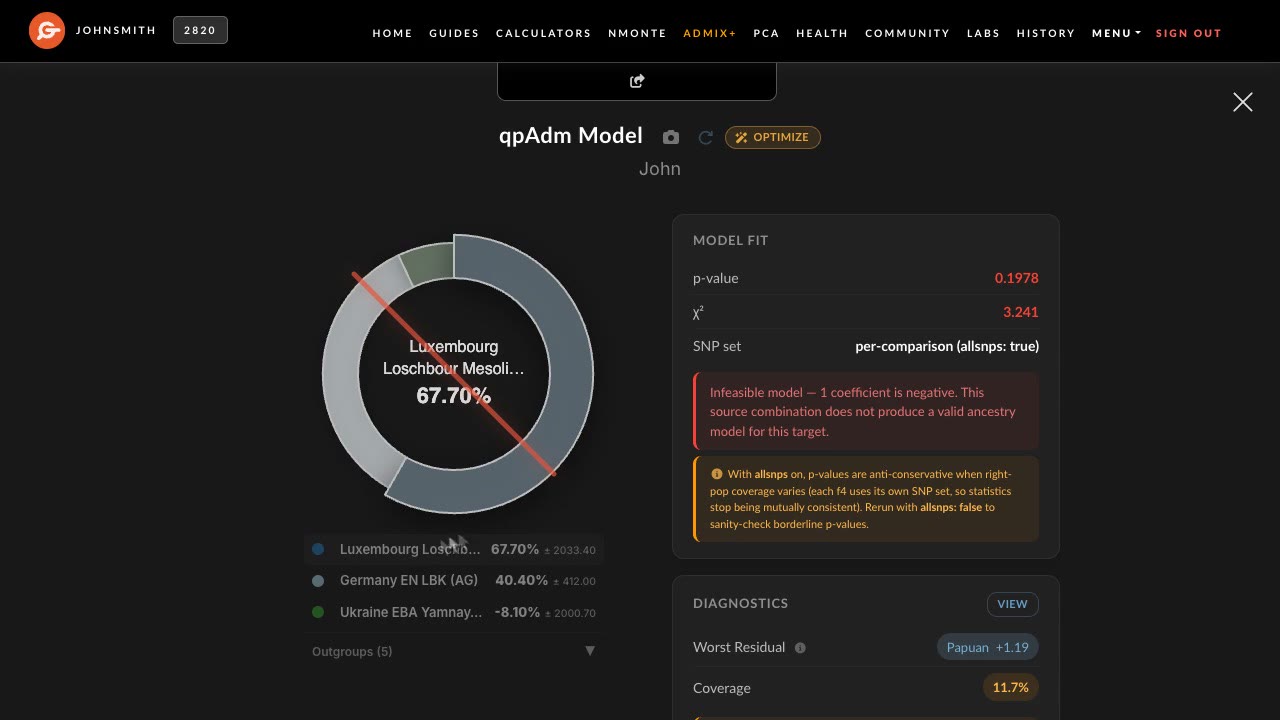
A p-value and χ² for the fit, weights with standard errors, a Strong, Fair or Weak verdict, and diagnostics that include a drop-one-source test.
Load one of 112 starter models, most of them curated by region, and its sources and outgroups fill in for you.
FST, closest populations and outgroup f3 run from the same workbench, with more methods on the way.
Runs are saved to History. Reopening one costs nothing, and a model reloads into the selectors to run again with a change.
Add the raw file from 23andMe, AncestryDNA, FamilyTreeDNA, MyHeritage, LivingDNA or WeGene, exactly as you downloaded it.
Let the AI agent build and rotate models, or set sources and outgroups yourself.
Check the fit, the weights and the diagnostics, then run it again with a change.
Four methods run today; the rest of the AdmixTools set is on the way.
4:06Step-by-step guide to formal admixture testing on Genoplot: automated analysis, expert-mode qpAdm with sources and outgroups, starter models, and how to read a p-value.
 6:02
6:02A method from the AdmixTools package that tests whether a target can be modelled as a mix of chosen source populations, using outgroups to check the fit. It is behind most ancient-ancestry estimates in published papers.
You can open the workbench and explore it, but runs take more Compute Credits than the free monthly allowance. Basic includes 1,000 credits a month and Pro 3,000, and you see an automated analysis’s price before anything is spent.
Yes. A consumer chip covers only part of the reference panel, which each result reports as coverage; whole-genome imputation raises that substantially.
A p-value and χ² for the fit, admixture weights with standard errors, a plain Strong, Fair or Weak verdict, and diagnostics showing which sources the model really needs.
Create a free account, upload your raw DNA, and explore Admix+ before you choose a plan.