 5:46
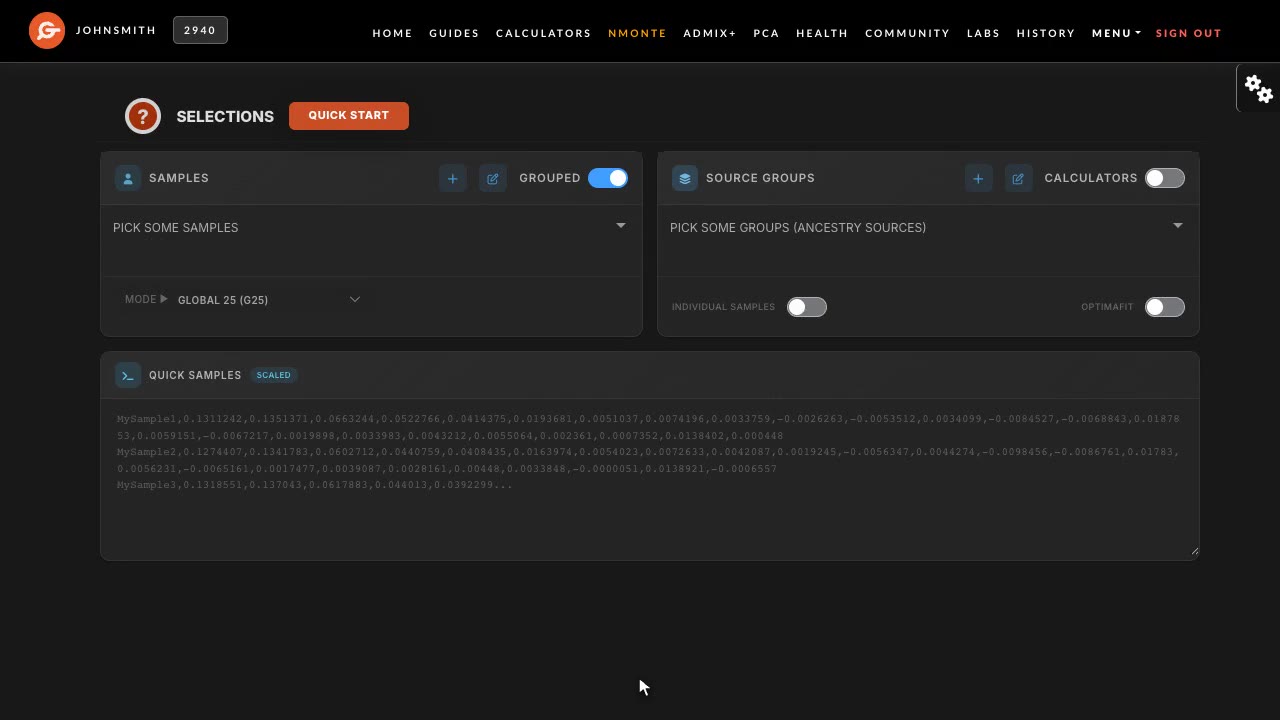
5:46How to run nMonte with G25
Step-by-step guide to modelling ancestry with nMonte and Global 25 coordinates on Genoplot: getting coordinates, choosing a target and source populations, running the model, and reading the fit distance.
Upload your raw DNA, get simulated Global 25 coordinates, and model yourself as a mix of ancient and modern populations. Run any of 500+ community G25 calculators in a click, or build your own nMonte model and see how well it fits.
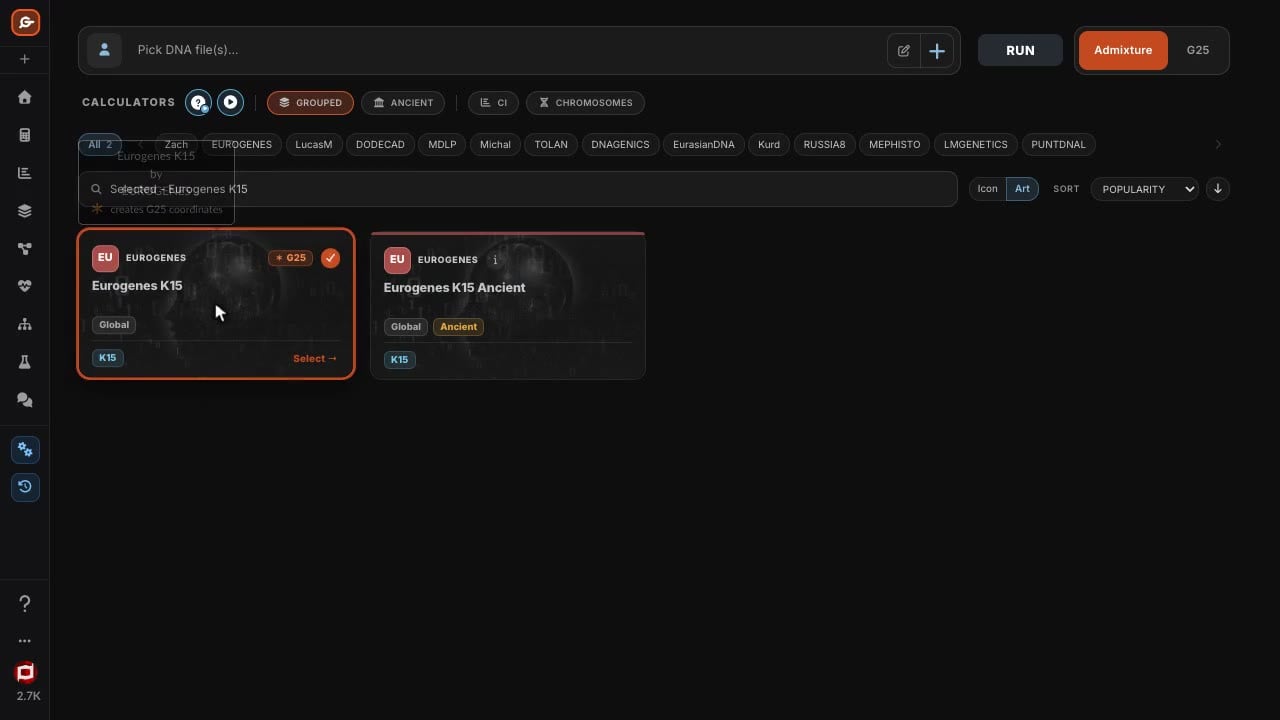
Run a G25-ready calculator such as Eurogenes K15 on your raw DNA and Genoplot saves simulated Global 25 coordinates as a new sample, at no extra cost. Already have coordinates? Paste them in.
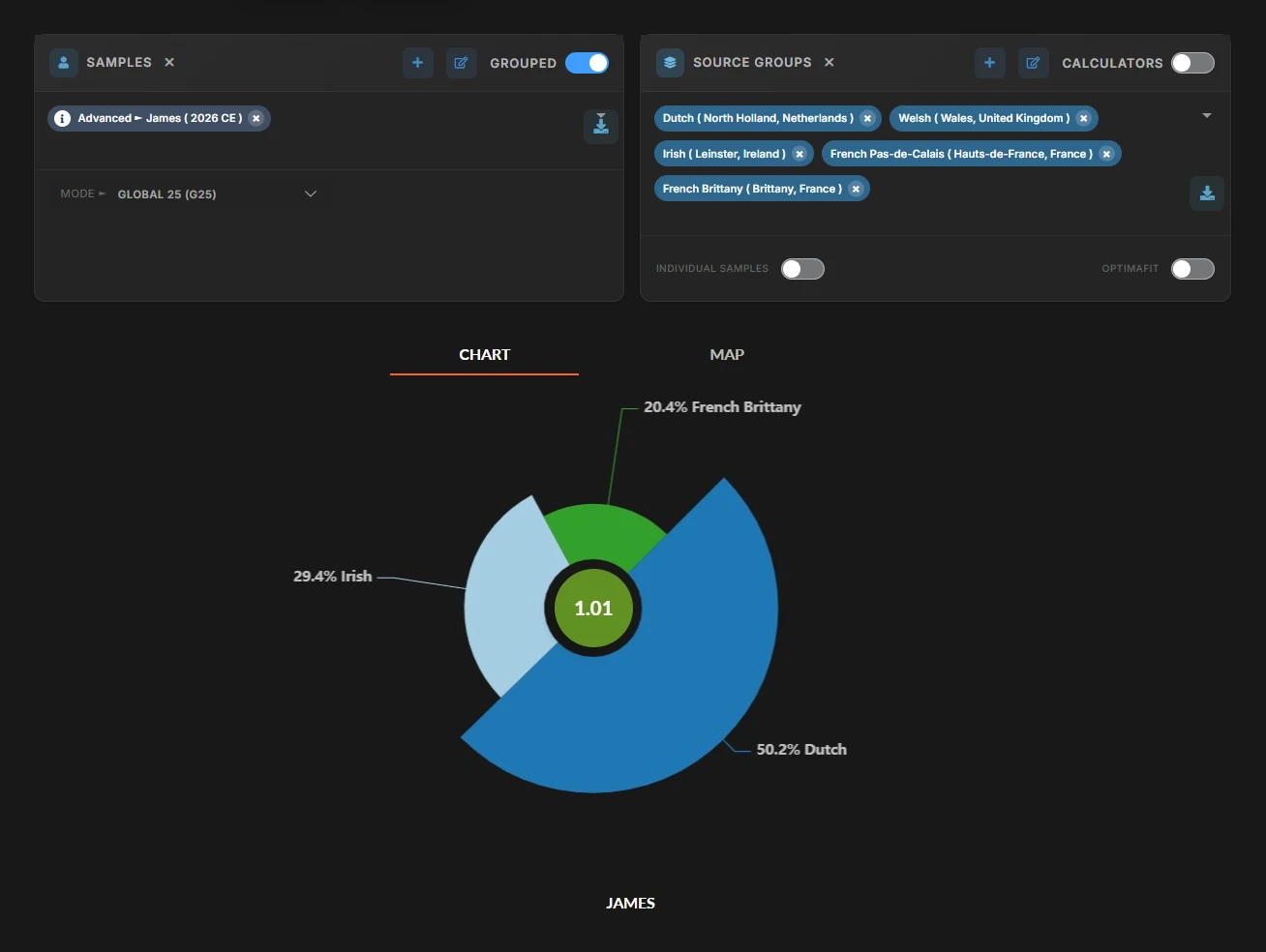
Pick ancient or modern source populations and nMonte finds the mix that fits your sample best, with a fit distance on every result. Not sure where to start? Quick Start picks the sources for you.
Ready-made G25 models published by Genoplot members, from hunter-gatherer and farmer splits to regional Bronze and Iron Age calculators. Run one on your sample in a click.
Read each result as a chart or on a map, keep every run in History, and share it with a link.
Add the raw file from 23andMe, AncestryDNA, FamilyTreeDNA, MyHeritage, LivingDNA or WeGene, exactly as you downloaded it.
Run a G25-ready calculator once for simulated G25 coordinates, or paste coordinates you already have.
Choose a community calculator or your own source populations, and let nMonte find your mix.
5:46Step-by-step guide to modelling ancestry with nMonte and Global 25 coordinates on Genoplot: getting coordinates, choosing a target and source populations, running the model, and reading the fit distance.
 3:52
3:52Two ways to get Global 25 (G25) coordinates for your own DNA on Genoplot: free simulated coordinates from an admixture calculator, or Geno25 coordinates computed from your raw file - and when each one is the right choice.
Global 25 (G25) describes a genome as 25 principal-component coordinates. Because every sample sits in the same space, yours can be modelled as a mix of reference populations, which is what nMonte does.
Upload your raw DNA file and run one of the calculators marked G25, such as Eurogenes K15. Genoplot saves simulated G25 coordinates as a new sample at no extra cost. Subscribers can also order Geno25 coordinates computed directly from the raw file.
Yes. Paste them into the Quick Samples box on the nMonte workbench, one sample per line: a name followed by its 25 values.
Creating an account is free and needs no credit card. Free accounts get Compute Credits every month, and each calculator or nMonte run spends some of them. The Basic and Pro plans add more credits and more samples per run.
It measures how far your sample sits from the model nMonte built for it. Lower is better, and comparing distances is how you choose between two models.
Create a free account, upload your raw DNA, and run your first G25 model in minutes.